 CAM 01REC05:50 AM
Five Nights at Candy's Remastered
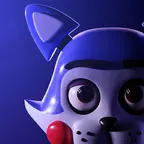
Five Nights at Candy's Remastered
Click to load the game
POWER ON... LOADING
Taking a while. Try Reload if nothing appears.
Tip: on a phone, rotate to landscape or tap Fullscreen for the best view.
Unofficial fan version Unofficial fan made browser version. Not affiliated with Scott Cawthon or Steel Wool Studios.
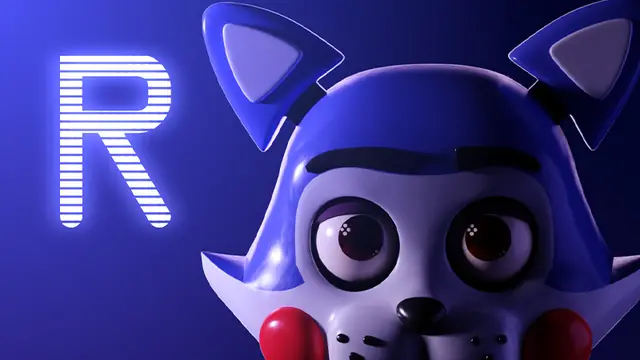
Five Nights at Candy's Remastered is an unofficial fan-made browser version on Playhop inspired by Emil Macko's updated classic, challenging you to survive from 12:00 AM to 6:00 AM at Candy's Burgers & Fries using night vision cameras and three office doors.
| Playhop Title | Five Nights at Candy's Remastered |
|---|---|
| Inspired By | Five Nights at Candy's Remastered (Emil Macko, 2019) |
| Playhop Developer | truelisgames |
| Browser Version | Unofficial fan-made version on Playhop |
| Genre | FNAF fan game / Survival horror |
| Shift Hours | 12:00 AM to 6:00 AM |
| Core Mechanics | Night vision cameras, three defensive doors, glowing-eye doorway checks |
| Setting | Candy's Burgers & Fries |
| Controls | Mouse click (PC) or tap (Mobile) |
About
Five Nights at Candy’s Remastered revisits one of the most celebrated fan games ever inspired by Five Nights at Freddy’s. After Freddy Fazbear’s New Pizzeria closes its doors for good, a rival restaurant steps into the spotlight: Candy’s Burgers & Fries, complete with its own brightly colored animal band and a dark secret waiting after midnight.
Based on Emil Macko’s acclaimed remastered edition, this Playhop browser version delivers sharper visuals and eerie dark-room lighting while keeping the signature mechanics that set Candy’s apart from Freddy’s. With no hallway flashlights beside your doors, you rely on glowing eyes in the shadows, a night vision camera system, and three separate steel barriers to last from 12:00 AM to 6:00 AM.
How to Play
Your objective is to survive each night shift until 6:00 AM while uncovering the mysteries behind the restaurant’s animatronics:
- Watch Three Entry Points: Your security office has a left doorway, a right doorway, and a wide front glass window protected by a drop-down metal shutter.
- Spot Glowing Eyes: Instead of hallway lights, scan the dark left and right doorways for tiny glowing white eyes signaling that Candy, Cindy, Chester, or the Penguin has arrived.
- Use Night Vision on Cameras: Switch on night vision while viewing security feeds to light up dark rooms and locate threats that lack glowing eyes, especially on later nights.
- Conserve Power: Keeping doors closed or leaving night vision running continuously drains your battery faster. Shut barriers only when an animatronic is directly threatening the office.
Controls
Five Nights at Candy’s Remastered plays cleanly with mouse clicks on PC or taps on mobile screens.
| Action | PC Controls | Mobile / Touch |
|---|---|---|
| Pan office view left / right | Move mouse left or right | Swipe or tap left / right side |
| Close / open left or right door | Click door control button | Tap door control button |
| Close / open front window shutter | Click window shutter button | Tap window shutter button |
| Open / close camera monitor | Hover or click bottom bar | Tap bottom bar |
| Switch security cameras | Click camera number on map | Tap camera number on map |
| Toggle Night Vision on camera | Click camera / Night Vision toggle | Tap Night Vision toggle |
Tips to Survive
Listen for Footsteps Before Checking Doors
Footsteps tell you whenever a mascot steps into or out of your immediate doorways. When you shut a door on Candy or Cindy, wait for the retreating footstep sound and immediately reopen the door so your power reserve stays healthy for 5 AM.
Check Blank’s Camera Regularly
Blank ignores the left and right doors and attacks straight through your front office window. Keep an eye on his camera feed during Nights 2 through 5 so you have plenty of time to drop the front shutter before he breaks through.
Save Night Vision for Dark Threats
Candy, Cindy, and Chester are easy to spot by their glowing eyes, so you do not need night vision constantly during early shifts. Reserve night vision bursts for tracking Old Candy and the Rat on later nights, since neither one has glowing eyes in the dark doorways.
Stop the Penguin at the Right Door
The Penguin cannot jumpscare you himself, but if he slips through your right doorway he disables your door controls and leaves you wide open to lethal mascots. Shut the right door whenever you spot his low silhouette or hear him approaching.
Characters
- Candy the Cat & Cindy the Cat: The blue and purple cat mascots of Candy’s Burgers & Fries who stalk both side doorways with glowing white eyes.
- Chester the Chimpanzee: Approaches through the left doorway and tests your reaction speed on early-to-mid nights.
- Blank: A pale, drawing-covered animatronic that charges directly at the front office window and requires the metal shutter.
- The Penguin: A small waiter robot that approaches from the right to sabotage your door buttons.
- Old Candy & The Rat: Dangerous late-night threats without glowing eyes that demand careful night vision camera checks and audio awareness.
Is This the Official Game?
No. Five Nights at Candy’s Remastered was originally created by independent developer Emil Macko, and the playable version here is an unofficial fan-made version on Playhop. FNAF Nights is not affiliated with Emil Macko, Scott Cawthon, or Steel Wool Studios.
To play Emil Macko’s official desktop build with full extras and local saves, download Five Nights at Candy’s Remastered directly for free from Emil Macko’s Game Jolt page.
Similar Games
Want more shifts inside the Candy’s universe or classic FNAF remasters? Try these next:
- Five Nights at Candy’s: Play the original browser edition of FNaC 1.
- Five Nights at Candy’s 2: Continue the story inside the abandoned Rowboatics Corp. factory using telephone lures.
- Five Nights at Freddy’s Remaster: Experience a visually refreshed browser edition of the original FNAF 1.
What is Five Nights at Candy's Remastered?
Five Nights at Candy's Remastered is a visually upgraded take on Emil Macko's beloved 2015 FNAF fan game. Set at Candy's Burgers & Fries after Freddy Fazbear's New Pizzeria closed for good, it puts you on the midnight-to-6 AM shift using night vision cameras and three office barriers to survive.
How do you see animatronics in the dark in Five Nights at Candy's Remastered?
Most animatronics show glowing white eyes in the dark doorways when they stand outside your office. On the security monitor, you can activate night vision to illuminate pitch-black rooms and track animatronics like Old Candy and the Rat that do not have glowing eyes.
How is Five Nights at Candy's Remastered different from the original FNaC 1?
The Remastered edition refreshes the original Five Nights at Candy's with updated models, sharper lighting, smoother animations, and polished presentation while keeping the tense three-door defense, night vision cameras, and cast of mascots that fans know.
How do you stop Blank in Five Nights at Candy's Remastered?
Monitor Blank on the security cameras and watch for him leaving his station to charge toward your front office window. Pull down the front metal shutter door before he strikes the glass, then reopen it once he resets so you do not waste power.
Can you play Five Nights at Candy's Remastered on mobile and desktop?
Yes. This Playhop browser version runs directly in desktop and mobile web browsers without downloads. Click or tap the door buttons, front window shutter, and camera night vision controls to manage each shift.
Is this browser version of Five Nights at Candy's Remastered official?
No. Five Nights at Candy's Remastered was created by Emil Macko for the Fazbear Fanverse Initiative, and the playable embed here is an unofficial fan-made version on Playhop not affiliated with Emil Macko, Scott Cawthon, or Steel Wool Studios. Emil Macko's official PC release is free on Game Jolt.
Camera feeds
Related Games
- CAM 01REC05:50 AM
 CAM 02REC04:02 AM
 CAM 03REC04:52 AM