 CAM 01REC05:18 AM
FNAF 6 (Fan Game)
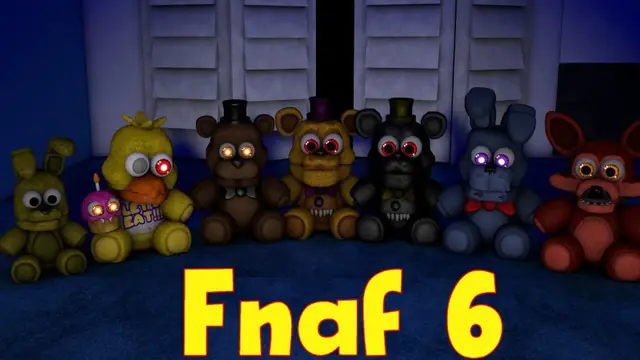

FNAF 6 (Fan Game)
Click to load the game
POWER ON... LOADING
Taking a while. Try Reload if nothing appears.
Tip: on a phone, rotate to landscape or tap Fullscreen for the best view.
Unofficial fan version Unofficial fan made browser version. Not affiliated with Scott Cawthon or Steel Wool Studios.
FNAF 6 (Fan Game) on Playhop is an unofficial fan-made survival horror game where you monitor animatronics climbing through ventilation ducts on a computer screen and blind them with a flashlight to survive eight nights until 6:00 AM.
| Playhop Title | Fnaf 6 |
|---|---|
| Playhop Developer | Mishko |
| Inspired By | Freddy Fazbear's Pizzeria Simulator (Scott Cawthon, 2017) |
| Browser Version | Unofficial fan-made version on Playhop |
| Genre | Point-and-click survival horror |
| Nights | 8 nights (until 6:00 AM) |
| Core Mechanics | Computer motion tracking, ventilation defense, flashlight blinding |
| Setting | Darkened security office with ventilation openings |
| Controls | Mouse click (PC) or tap (Mobile) |
About
FNAF 6 on Playhop is an eight-night fan-made survival horror game inspired by the tense nocturnal office segments of Scott Cawthon’s Freddy Fazbear’s Pizzeria Simulator. Instead of mixing in daytime restaurant decorating or budgeting minigames, this browser version strips the experience down to pure claustrophobic surveillance. You sit in a dark office facing a central computer screen while animatronics crawl steadily through the surrounding ventilation ducts.
With eight full shifts to survive, FNAF 6 stretches the classic 12 AM to 6 AM endurance loop into a longer gauntlet. Your computer gives you awareness of incoming threats, and your flashlight is your main lifeline when an animatronic gets close enough to strike.
How to Play
Every night runs until 6:00 AM. You survive by balancing observation on your computer monitor with quick flashlight reactions at the ventilation openings:
- Computer Monitor: Keep checking the computer screen to track where animatronics are located inside the surrounding vents. The screen warns you which direction an attacker is advancing from before they reach your office.
- Ventilation Defense: Animatronics climb toward your desk through the ventilation passages. Listening for movement cues and cross-checking the computer display tells you which vent needs attention next.
- Flashlight: When an animatronic draws near, shine your flashlight directly at it to blind it and push it back. Hesitating once a threat reaches the vent mouth gives it time to lunge.
- Eight-Night Escalation: Surviving a shift unlocks the next night, all the way up to Night 8, with tighter reaction windows and more frequent simultaneous approaches.
Controls
FNAF 6 relies on quick pointer or tap interactions to move between the computer display and your flashlight.
| Action | PC Controls | Mobile / Touch |
|---|---|---|
| Look toward left / right vents | Move mouse left or right | Swipe or tap left / right side |
| Check computer screen | Click / focus computer monitor | Tap computer monitor |
| Shine flashlight to blind threats | Click / hold flashlight button | Tap / hold flashlight button |
| Navigate menus and nights | Left-click on-screen buttons | Tap on-screen buttons |
Tips to Survive
Check the Computer in Short Bursts
Staring at the computer screen for too long leaves your vents unguarded. Glance at the tracker just long enough to confirm where each animatronic is positioned, then immediately look away to prepare your flashlight on the closest side.
Prioritize the Closest Vent Threat
When multiple animatronics move at once during Nights 4 through 8, deal with whichever threat is nearest to your office opening first. Blinding the closest attacker buys you a few precious seconds to pivot to the opposite side and reset the second threat.
Use Audio Alongside Visual Tracking
Play with sound enabled or wear headphones if possible. Ventilation scraping and movement sounds often alert you that an animatronic has shifted closer even before you return your eyes to the computer display.
Pace Yourself Across All Eight Nights
Because FNAF 6 spans eight nights instead of five, early shifts are designed to build muscle memory. Practice smooth transitions between checking the computer and firing the flashlight on Nights 1 and 2 so your reactions stay sharp when Nights 6, 7, and 8 demand rapid back-and-forth defense.
Keep a Consistent Left-Right-Computer Rhythm
When you reach the later shifts, random clicking wastes valuable time. Follow a steady cycle: check the computer screen for half a second, sweep toward the nearest vent opening, blind any animatronic that has climbed close, and return to the monitor. Staying calm during the final hour before 6:00 AM prevents missed vent cues and keeps your eight-night streak alive.
Characters
- Vent-Crawling Animatronics: Inspired by the salvaged cast of the sixth FNAF chapter, these hostile robots creep through the narrow ventilation network surrounding your office. They advance relentlessly toward your workspace and must be tracked on your computer and repelled with bright flashlight beams before they can grab you.
Is This the Official Game?
No. FNAF 6 on FNAF Nights is an unofficial fan-made version on Playhop and is not affiliated with or endorsed by Scott Cawthon or Steel Wool Studios. It is not the full official Freddy Fazbear’s Pizzeria Simulator; it omits the tycoon simulation and salvage interviews in favor of an eight-night computer-and-flashlight survival challenge.
If you want to play the official Freddy Fazbear’s Pizzeria Simulator (FNAF 6), you can download it for free on Steam (PC) or purchase it on iOS, Android, PlayStation, Xbox, and Nintendo Switch. If you specifically enjoy the salvage interview minigame from the official sixth title, you can also try FNAF 6: Salvage Room right here.
Similar Games
Looking for more vent-defense and FNAF-inspired survival games? Try these next:
- FNAF 6: Salvage Room: Focuses on the tense audio-test and taser salvage room interviews inspired by Pizzeria Simulator.
- FNAF 5: Survive five nights against Ennard using cameras, office doors, and ventilation shutters.
- Five Nights at Freddy’s 2: Defend a doorless office with a flashlight, vent checks, and the Freddy mask.
Is FNAF 6 on Playhop the same as Freddy Fazbear's Pizzeria Simulator?
No. FNAF 6 on Playhop is an unofficial fan-made survival game focused purely on nighttime office defense. Unlike Scott Cawthon's official Freddy Fazbear's Pizzeria Simulator, which includes daytime restaurant tycoon management and salvage interviews, this browser game centers on tracking vent-crawling animatronics on a computer monitor and repelling them with a flashlight.
How many nights are in FNAF 6 on Playhop?
This browser version features eight playable nights rather than the standard five. Each shift requires you to hold out until 6:00 AM while animatronics climb toward your office through the ventilation shafts at increasingly aggressive speeds.
How do you stop animatronics in FNAF 6?
Watch your office computer screen to see where the animatronics are moving inside the ventilation network. When an animatronic climbs close to your opening, turn toward the threat and blind it with your flashlight to force it back before it can attack.
Do you have steel security doors in FNAF 6?
No. Instead of shutting powered steel doors like in FNAF 1, your primary active defense is information and light. You combine constant computer surveillance with timely flashlight beams aimed at nearby animatronics.
Can you play FNAF 6 on mobile and desktop browsers?
Yes. FNAF 6 runs in both desktop and mobile browsers via Playhop without downloads. On desktop you use mouse clicks to switch between the computer screen and your flashlight defense, while mobile players tap the on-screen controls.
Where can I play the official Freddy Fazbear's Pizzeria Simulator?
Scott Cawthon's official Freddy Fazbear's Pizzeria Simulator is free to download on Steam for PC, and is also available on iOS, Android, PlayStation, Xbox, and Nintendo Switch.
Camera feeds
Related Games
- CAM 01REC05:18 AM
 CAM 02REC12:27 AM
 CAM 03REC03:58 AM