 CAM 01REC04:19 AM
The Backrooms: Animatronics FNAF
The Backrooms: Animatronics FNAF
Click to load the game
POWER ON... LOADING
Taking a while. Try Reload if nothing appears.
Tip: on a phone, rotate to landscape or tap Fullscreen for the best view.
Unofficial fan version Unofficial fan made browser version. Not affiliated with Scott Cawthon or Steel Wool Studios.
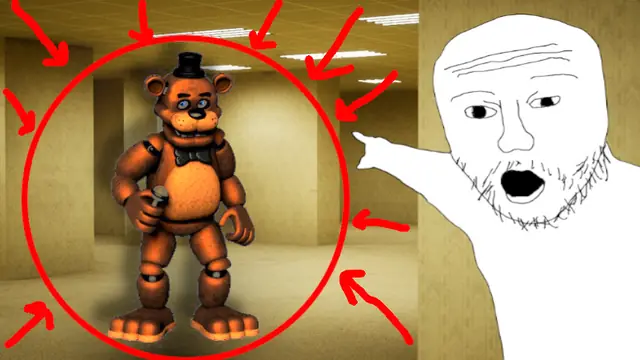
The Backrooms: Animatronics FNAF is an unofficial fan-made 3D survival horror game on Playhop where you explore eerie Backrooms corridors, crouch and sprint past Freddy, Bonnie, and Chica, and collect all Faz-Wrenches to escape.
| Playhop Title | The Backrooms: Animatronics FNAF |
|---|---|
| Inspired By | Five Nights at Freddy's (Scott Cawthon) and The Backrooms |
| Playhop Developer | sapielecta |
| Browser Version | Unofficial fan-made version on Playhop |
| Genre | 3D first-person stealth / collection horror |
| Objective | Collect all Faz-Wrenches and escape the Backrooms |
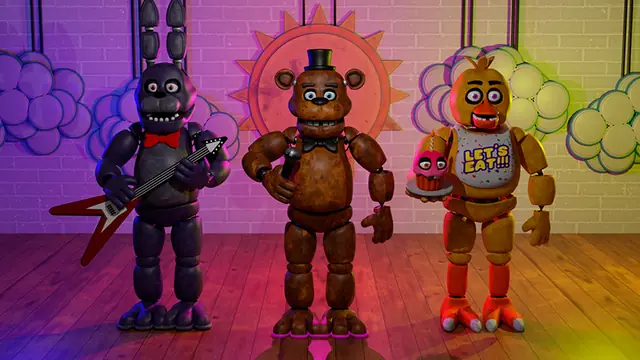
| Animatronics | Freddy Fazbear, Bonnie, and Chica |
| Setting | Treacherous 3D Backrooms corridors |
| Controls | WASD + C + Shift + Mouse + Tab (PC) or dual touch zones (Mobile) |
About
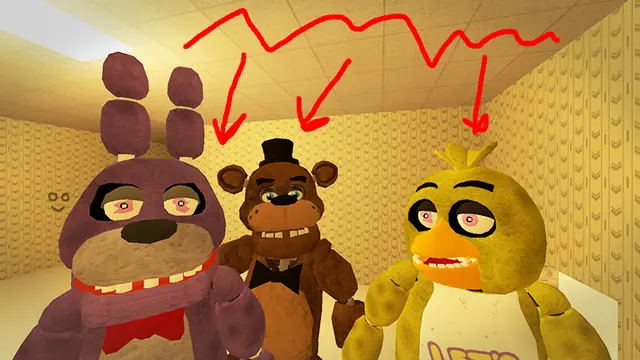
The Backrooms: Animatronics FNAF throws you into a disorienting maze of dim Backrooms corridors where three iconic pizzeria mascots have replaced ordinary urban-legend monsters. Instead of waiting behind security doors at Freddy Fazbear’s Pizza, you are on foot inside an unsettling liminal space with Freddy, Bonnie, and Chica actively patrolling the halls.
Your only ticket out is gathering every Faz-Wrench hidden across the map. With full first-person movement, crouching, sprinting, and adjustable mouse sensitivity, this Playhop browser game blends stealth exploration with high-stakes chase moments whenever an animatronic rounds the next corner.
How to Play
Surviving the Backrooms requires balancing thorough exploration with careful movement:
- Search for Faz-Wrenches: Sweep each wing of the Backrooms methodically to collect all required Faz-Wrenches.
- Crouch or Sprint as Needed: Use C to crouch and move cautiously around blind corners, and hold Shift to sprint when you need to create distance from an approaching animatronic.
- Watch Every Intersection: Because Freddy, Bonnie, and Chica can cover different hallways at the same time, pause briefly at T-junctions to listen and glance down both sides before stepping out.
- Reach the Exit: Once you collect all Faz-Wrenches, navigate back toward your escape route without getting cornered.
Controls
The Backrooms: Animatronics FNAF supports standard PC first-person controls (including laptop touchpads) as well as split-screen mobile touch controls.
| Action | PC Controls | Mobile / Touch |
|---|---|---|
| Move forward / back / strafe | W, A, S, D | Drag left side of screen |
| Rotate camera / look around | Move mouse or touchpad | Drag right side of screen |
| Crouch | C | On-screen crouch control (where shown) |
| Run / walk | Hold Shift to run, release to walk | Push left movement control |
| Pause / settings (sensitivity) | Tab | On-screen pause button |
Tips to Survive
Tune Mouse Sensitivity First
If you are playing on a laptop touchpad or high-DPI mouse, press Tab right at the start of your run to adjust mouse sensitivity in the settings menu. Clean, predictable camera turns are vital when you need to spin 180 degrees and sprint away from Bonnie or Chica.
Follow One Wall to Stay Oriented
Backrooms corridors look intentionally repetitive, which makes it easy to walk in circles while hunting for the last Faz-Wrench. Pick a consistent navigation rule, such as keeping the left wall on your shoulder, so you systematically clear rooms without revisiting empty dead ends.
Save Sprinting for Real Danger
Holding Shift lets you outrun trouble around corners, so keep your movement calm and controlled when the halls are quiet. Walking or crouching with C lets you hear heavy animatronic footsteps earlier and react before stepping straight into Freddy’s path.
Never Back Yourself Into a Dead End
When you enter a small side room to grab a Faz-Wrench, immediately turn back toward the doorway as you pick it up. Knowing which direction leads back to a wide loop prevents you from getting trapped by two animatronics converging from opposite corridors.
Track Multiple Mascots by Sound
Unlike single-monster maze games, having Freddy, Bonnie, and Chica patrolling the Backrooms at once means passing one animatronic does not guarantee the next corridor is safe. Pause briefly after rounding a blind corner, crouch with C to keep a low profile, and listen carefully before committing to a long straightaway. Saving your Shift sprint for moments when you have a clear escape route keeps you out of danger until you collect the final Faz-Wrench.
Characters
- Freddy Fazbear: The lead animatronic patrolling the Backrooms corridors, forcing you to stay quiet and plan escape loops.
- Bonnie: Joins the hunt alongside Freddy, increasing the odds of encountering a mascot at major hallway intersections.
- Chica: Rounds out the trio roaming the maze, keeping pressure high while you search for the final Faz-Wrenches.
Is This the Official Game?
No. The Backrooms: Animatronics FNAF is an unofficial fan-made browser game on Playhop and is not affiliated with or endorsed by Scott Cawthon or Steel Wool Studios. The Faz-Wrench item name nods to Five Nights at Freddy’s: Security Breach and Ruin, but this title is an independent fan crossover.
Official Five Nights at Freddy’s releases are available on Steam, PlayStation, Xbox, Nintendo Switch, iOS, and Android.
Similar Games
Want more 3D FNAF exploration and maze survival? Try these games next:
- FNAF: Freddy in the Backrooms: Dodge Freddy Fazbear, avoid bear traps and cameras, and hide in closets inside a yellow Backrooms labyrinth.
- Five Nights at Freddy’s 3D: Explore an expanded 3D FNAF 1 pizzeria with puzzles and multiple endings.
- Exit 8: Test your observation skills in an eerie looping underground subway corridor filled with subtle anomalies.
What is the main objective in The Backrooms: Animatronics FNAF?
Your objective is to explore the winding Backrooms corridors, locate and collect every Faz-Wrench scattered across the map, and make your way out before Freddy, Bonnie, or Chica tracks you down.
Which FNAF animatronics appear in The Backrooms: Animatronics FNAF?
The Playhop listing confirms that classic mascots Freddy, Bonnie, and Chica roam the Backrooms corridors hunting for you. Having multiple animatronics patrolling at once means you must watch intersecting hallways closely instead of tracking just one pursuer.
What are the PC keyboard controls for The Backrooms: Animatronics FNAF?
Move with W, A, S, and D, press C to crouch, hold Shift to sprint (and release to walk), press Tab to pause, and rotate your camera with the mouse or touchpad. Laptop players can adjust mouse sensitivity in the in-game settings.
How do mobile controls work in The Backrooms: Animatronics FNAF?
On mobile devices, the left side of the screen controls character movement while the right side of the screen rotates the camera. This dual-thumb layout makes it easy to look around corners while moving through the Backrooms.
How is this game different from FNAF: Freddy in the Backrooms?
While both are Backrooms crossovers, The Backrooms: Animatronics FNAF focuses on collecting Faz-Wrenches while evading multiple mascots (Freddy, Bonnie, and Chica) with WASD movement, crouching, and sprinting. FNAF: Freddy in the Backrooms centers on dodging Freddy alone alongside bear traps, cameras, and closet hiding.
Is The Backrooms: Animatronics FNAF an official FNAF game?
No. The Backrooms: Animatronics FNAF is an unofficial fan-made browser game on Playhop and is not affiliated with Scott Cawthon or Steel Wool Studios. Official Five Nights at Freddy's games are sold on Steam, mobile, and consoles.
Camera feeds
Related Games
- CAM 01REC04:19 AM
 CAM 02REC04:05 AM
 CAM 03REC05:59 AM