 CAM 01REC02:58 AM
Five Nights at Freddy's 3 Remaster

Five Nights at Freddy's 3 Remaster
Click to load the game
POWER ON... LOADING
Taking a while. Try Reload if nothing appears.
Tip: on a phone, rotate to landscape or tap Fullscreen for the best view.
Unofficial fan version Unofficial fan made browser version. Not affiliated with Scott Cawthon or Steel Wool Studios.
Five Nights at Freddy's 3 Remaster is an unofficial fan-made version on Playhop that refreshes the Fazbear's Fright survival challenge with crisp graphics, smoother performance, an updated interface, and classic Springtrap defense from midnight to 6 AM.
| Playhop Title | Five Nights at Freddy's 3 Remaster |
|---|---|
| Inspired By | Five Nights at Freddy's 3 (Scott Cawthon, 2015) |
| Playhop Developer | lan4ikStudio |
| Browser Version | Unofficial fan-made version on Playhop |
| Genre | Point-and-click survival horror |
| Setting | Fazbear's Fright: Horror Attraction |
| Main Threat | Springtrap and Phantom hallucinations |
| Key Additions | Refreshed graphics, updated UI, enriched menu, bug fixes |
| Controls | Mouse click (PC) or tap (Mobile) |
About
Five Nights at Freddy’s 3 Remaster is a fan-made browser edition on Playhop that gives the eerie haunted-house premise of Five Nights at Freddy’s 3 a visual and interface refresh. Years after Freddy Fazbear’s Pizza closed its doors, the owners of Fazbear’s Fright: Horror Attraction scoured the ruins for old relics, finding fragments like a hook, an arm, and a paper plate doll before uncovering something far more dangerous: a single working animatronic now stalking the attraction.
Built for smoother browser play, this remastered edition brings sharper graphics, updated lighting effects, a cleaner interface, an expanded menu, and bug fixes to the dual-monitor survival loop. You still face the same relentless tension of tracking Springtrap while keeping aging attraction hardware online until 6:00 AM.
How to Play
Every shift lasts from midnight until 6:00 AM inside the attraction’s glass-fronted security office. Without steel doors or a wearable mask, you survive by juggling two separate control panels:
- Camera Monitor & Sound Traps: Track Springtrap across the dimly lit corridors and trigger audio lures in neighboring rooms to draw him backward away from your office.
- Ventilation Seals: Switch to the vent map and close the active duct whenever Springtrap crawls into the ventilation system so he cannot bypass the hallways.
- Auxiliary Maintenance Screen: Phantoms periodically sabotage your audio, camera, or ventilation systems. Flip open the left-side maintenance monitor to repair broken systems before ventilation blackouts blind you.
Controls
The remastered interface keeps every camera, vent seal, and reboot option accessible through mouse clicks or touchscreen taps.
| Action | PC Controls | Mobile / Touch |
|---|---|---|
| Pan office view left / right | Move mouse left or right | Swipe or tap left / right side |
| Open / close auxiliary reboot screen | Hover or click left panel tab | Tap left panel tab |
| Open / close camera monitor | Hover or click right panel tab | Tap right panel tab |
| Trigger sound trap lure | Click Audio button on selected room | Tap Audio button |
| Switch to vent map and seal ducts | Toggle map, double-click vent cam | Toggle map, double-tap vent cam |
| Reboot Audio, Camera, or Vent | Click system name or Reboot All | Tap system name or Reboot All |
Tips to Survive
Pin Springtrap in the Far Rooms
The safest way to survive later nights is to keep Springtrap circling between the distant cameras on the far side of the attraction. Use your sound trap to pull him back into a neighboring room the moment he advances, and seal the connecting vent nearby so he cannot take a shortcut.
Cut Off Phantom Camera Scares Quickly
Phantoms appear briefly on specific camera feeds or outside your glass window before striking. If you spot a Phantom face on a camera, switch rooms or drop the monitor immediately. Avoiding unnecessary jumpscares keeps your ventilation and audio online when you need them most.
Never Ignore a Ventilation Warning
A ventilation error causes flashing red lights and periodic screen blackouts, which also trigger hallucination duplicates of Springtrap on the cameras. Reboot ventilation right away as soon as you confirm Springtrap is not standing right at your doorway.
Use Reboot All Strategically
Rebooting a single broken system is faster than running Reboot All. Save Reboot All for emergencies when two or three systems fail simultaneously after a bad Phantom ambush.
Balance Your Left and Right Monitor Sweeps
In Fazbear’s Fright, turning left to the auxiliary screen leaves your right-side camera feed unattended. Before starting a system reboot, always trigger one last sound trap to push Springtrap back a room and verify the nearest vent seal is closed. That extra second of preparation gives your maintenance panel enough time to finish rebooting before Springtrap can close the gap to your office doorway.
Characters
- Springtrap: The single lethal animatronic inside Fazbear’s Fright. Driven by sound cues and capable of using both corridors and air vents, Springtrap is your primary threat all shift.
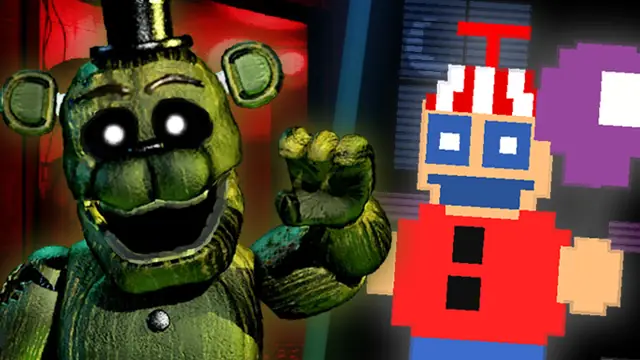
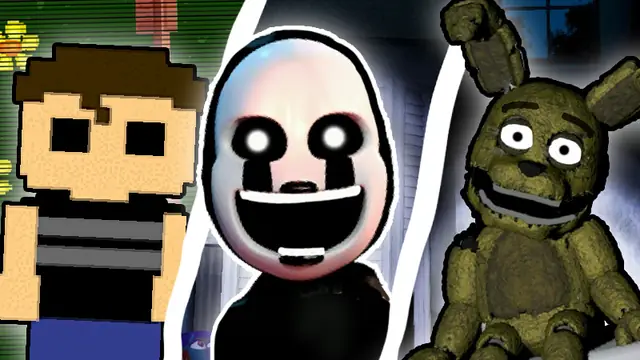
- Phantom Animatronics: Spectral hallucinations of classic Freddy Fazbear mascots (including Phantom Freddy, Phantom Chica, Phantom Foxy, Phantom Balloon Boy, Phantom Mangle, and Phantom Puppet) that wreck your cameras, audio, and ventilation if triggered.
Is This the Official Game?
No. Five Nights at Freddy’s 3 Remaster is an unofficial fan-made version on Playhop and is not affiliated with or endorsed by Scott Cawthon or Steel Wool Studios. While it reimagines the third entry in the FNAF series with refreshed visuals and interface tweaks, it is a community-made browser edition.
To support the original creator and play the official Five Nights at Freddy’s 3, purchase it on Steam (PC), iOS, Android, PlayStation, Xbox, or Nintendo Switch.
Similar Games
Enjoyed the remastered Fazbear’s Fright atmosphere? Check out these related games next:
- Five Nights at Freddy’s 3: Play the classic browser edition of FNAF 3.
- FNAF 3: Springtrap’s Revenge: Flip the perspective and play as Springtrap hunting down the night guard.
- Five Nights at Freddy’s Remaster: Experience the refreshed browser edition of the first FNAF game.
What is updated in Five Nights at Freddy's 3 Remaster?
Five Nights at Freddy's 3 Remaster refreshes the Fazbear's Fright browser experience with crisper graphics, upgraded visual effects, a cleaner user interface, an enriched menu, and stability fixes while preserving the core Springtrap, phantom, sound trap, and ventilation mechanics.
How do you keep Springtrap out of the office in FNAF 3 Remaster?
Monitor Springtrap on the security cameras, play audio lures in adjacent rooms to pull him back away from your hallway, and seal ventilation passages whenever he enters the duct network. Combining sound traps with timely vent seals keeps him pinned far from your office glass.
How do you fix technical failures caused by Phantoms?
Turn left to open your auxiliary maintenance screen whenever a Phantom hallucination knocks out your cameras, audio, or ventilation. Select the failing system to reboot it, or run a full reboot if multiple systems go down at the same time.
Can Phantom animatronics end your shift directly?
No. Just like in the original FNAF 3, Phantoms do not deliver a fatal game-over on their own. Instead, their jumpscares disable your attraction hardware, creating blackouts and delays that let Springtrap slip closer to your office.
What is the setting of Five Nights at Freddy's 3 Remaster?
The game takes place inside Fazbear's Fright: Horror Attraction, a haunted attraction built from salvaged relics after Freddy Fazbear's Pizza closed. During the search for props, the owners uncovered one real, active animatronic: Springtrap.
Is Five Nights at Freddy's 3 Remaster an official release?
No. This is an unofficial fan-made browser version on Playhop and is not affiliated with Scott Cawthon or Steel Wool Studios. The official Five Nights at Freddy's 3 is available to purchase on Steam, iOS, Android, PlayStation, Xbox, and Nintendo Switch.
Camera feeds
Related Games
- CAM 01REC02:58 AM
 CAM 02REC02:30 AM
 CAM 03REC03:58 AM