 CAM 01REC01:58 AM
Five Nights at Freddy's 3

Five Nights at Freddy's 3
Click to load the game
POWER ON... LOADING
Taking a while. Try Reload if nothing appears.
Tip: on a phone, rotate to landscape or tap Fullscreen for the best view.
Unofficial fan version Unofficial fan made browser version. Not affiliated with Scott Cawthon or Steel Wool Studios.
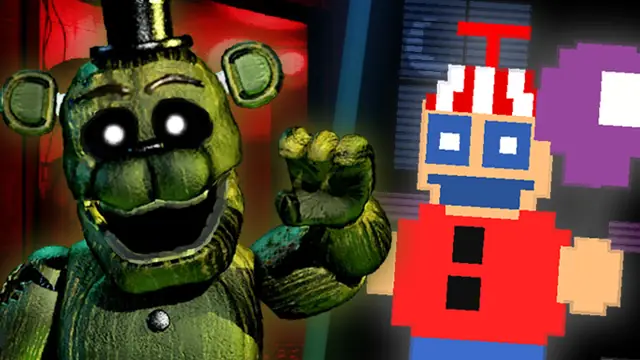
Five Nights at Freddy's 3 (FNAF 3) takes place thirty years after Freddy Fazbear's Pizza closed, pitting you against a single lethal animatronic, Springtrap, while Phantom hallucinations sabotage your audio, camera, and ventilation systems.
| Original Title | Five Nights at Freddy's 3 |
|---|---|
| Original Creator | Scott Cawthon |
| Original Release Date | March 2, 2015 |
| Playhop Developer | truelisgames |
| Browser Version | Unofficial fan-made version on Playhop |
| Genre | Point-and-click survival horror |
| Nights | 5 main nights plus Nightmare Mode (Night 6) |
| Setting | Fazbear's Fright: The Horror Attraction |
| Controls | Mouse click (PC) or tap (Mobile) |
About
Five Nights at Freddy’s 3 (FNAF 3) released on March 2, 2015, shifting the franchise thirty years into the future at Fazbear’s Fright, a haunted house attraction built from salvaged restaurant relics. Instead of juggling ten different mascots at your doorways, you face one relentless hunter: Springtrap, a decayed springlock rabbit suit discovered sealed inside a hidden safe room.
What makes FNAF 3 uniquely stressful is the unreliable building around you. There are no doors, no mask, and no power meter. Instead, you operate two side-by-side consoles, an audio-and-vent camera monitor on your right and a slow system maintenance panel on your left, while ghostly Phantom animatronics try to wreck your hardware at the worst possible moments.
How to Play
Your shift lasts from 12 AM to 6 AM inside the attraction’s glass-walled security office. You pan left to reach the Maintenance Panel and pan right to reach the Camera Monitor.
Survival depends on balancing three linked systems:
- Audio Devices: Play Balloon Boy’s voice in any room to lure Springtrap toward that camera. Overusing audio causes a system error that requires a reboot.
- Camera System & Vent Seals: Switch between the main hallway map (Cam 01 to Cam 10) and the Vent Map (Cam 11 to Cam 15). Double-clicking a vent camera closes that duct to block Springtrap from crawling straight into your office.
- Maintenance Panel: Reboots Audio, Camera, or Ventilation individually, or runs Reboot All to fix multiple failures at once. While rebooting, you cannot use the monitors, leaving you exposed.
Controls
| Action | PC Controls | Mobile / Touch |
|---|---|---|
| Pan office left / right | Move mouse left or right | Swipe or tap left / right side |
| Open / close Maintenance Panel | Hover over left-side tab | Tap left-side tab |
| Open / close Camera Monitor | Hover over right-side tab | Tap right-side tab |
| Switch between Hall and Vent maps | Click Toggle Map button | Tap Toggle Map button |
| Play audio lure | Click Play Audio on selected cam | Tap Play Audio |
| Seal an air vent | Double-click vent camera (Cam 11 to 15) | Double-tap vent camera |
| Reboot systems | Click Audio, Camera, Vent, or Reboot All | Tap desired reboot option |
Tips to Survive
Night 1 and Night 2
Night 1 is a quiet setup night with no active threats, giving you time to memorize the hallway layout, vent routes, and reboot timing. Springtrap arrives on Night 2. Keep him trapped on the far right side of the building around Cam 09 and Cam 10 by alternating audio lures between those two rooms and sealing the nearby vent (Cam 14) whenever he tries to crawl in.
Night 3 and Night 4
Phantom animatronics begin appearing aggressively starting on Night 3. Learn their camera tells so you do not lose ventilation mid-chase:
- Phantom Balloon Boy: His face fills a camera screen. Switch cameras or lower the monitor within half a second to cancel his scare.
- Phantom Chica: Appears on the arcade cabinet screen in Cam 07. Leave Cam 07 immediately before turning left in your office.
- Phantom Mangle: Hangs in Cam 04. Switch away quickly or its static will disable your audio system.
- Phantom Puppet: Stands in Cam 08 and blocks your view for several seconds if triggered.
- Phantom Freddy: Limps past the glass window in front of your desk. Ignore him by looking at your Maintenance Panel or Camera Monitor until he walks out of sight.
- Phantom Foxy: Appears standing on the left side of your office when you turn toward the Maintenance Panel. Turn left slowly and flip the Maintenance Panel up before panning all the way over if you suspect he is waiting.
Night 5 and Nightmare Mode
When Springtrap reaches your office doorway or stares through the window, do not panic. Play the audio lure in Cam 01 or Cam 02 immediately to pull him backward, and only use “Reboot All” when two or more systems are broken at once. Keeping ventilation green prevents blackouts that let Springtrap slip past the glass unseen.
Characters
- Springtrap: The sole lethal enemy in FNAF 3, an ancient decayed rabbit animatronic who responds to sound lures and uses both hallways and air vents to reach your office.
- Phantom Freddy: A charred hallucination of Freddy who walks past your office window and disables ventilation if you stare at him.
- Phantom Chica: Appears on the Cam 07 arcade screen before ambushing you on the left side of the office.
- Phantom Foxy: Materializes inside your office next to the box of parts and knocks out ventilation if you look directly at him.
- Phantom Balloon Boy: Appears randomly on camera feeds and triggers a ventilation failure if you linger on that camera.
- Phantom Mangle: Appears on Cam 04 and emits loud radio interference that breaks your audio system.
- Phantom Puppet: Appears on Cam 08 and locks onto your face, blocking your controls while Springtrap moves freely.
Is This the Official Game?
No. The version of Five Nights at Freddy’s 3 playable here is an unofficial fan-made version on Playhop and is not affiliated with or endorsed by Scott Cawthon or Steel Wool Studios. Browser builds may occasionally differ from the desktop release in save persistence or secret minigame triggers.
You can purchase the official Five Nights at Freddy’s 3 on Steam (PC), iOS, Android, PlayStation, Xbox, and Nintendo Switch.
Similar Games
If you enjoy the audio lure and system management loop of FNAF 3, try these games next:
- Five Nights at Freddy’s 2: Faster reflex gameplay with the Freddy mask and music box.
- Five Nights at Freddy’s 4: Strips away cameras altogether in favor of pure audio-based bedroom survival.
- Five Nights at Candy’s 2: Inspired directly by FNAF 3, using ringing factory telephones to lure Withered animatronics away.
How many lethal animatronics are in FNAF 3?
Springtrap is the only animatronic in FNAF 3 who can directly end your night with a fatal jumpscare. The six Phantom animatronics cannot kill you on their own, but their scares disable your ventilation or audio systems, giving Springtrap an easy opening to reach your office.
How do you lure Springtrap away in Five Nights at Freddy's 3?
Open the security camera monitor, select a room adjacent to Springtrap's current location, and click Play Audio. Springtrap is drawn toward the sound of Balloon Boy's voice, letting you pull him back toward the far side of the attraction like Cam 09 or Cam 10.
How do you seal air vents in FNAF 3?
Switch the camera map to the Vent Map view, select the vent camera Springtrap is crawling through (Cam 11 through Cam 15), and double-click that camera button to shut its seal. You can only seal one vent at a time, so choose carefully.
What happens if ventilation fails in Five Nights at Freddy's 3?
When the ventilation system errors out, red warning lights flash and your vision begins fading to black repeatedly. Leaving ventilation broken also causes multiple hallucination copies of Springtrap to appear on cameras, making it much harder to track the real threat.
How do you avoid Phantom jumpscares in FNAF 3?
Each Phantom has a specific visual warning. Switch away from the camera immediately if you see Phantom Balloon Boy, Phantom Mangle, or Phantom Puppet on a feed. If Phantom Freddy limps past your office window, pull up either monitor until he passes, and never stare at Phantom Foxy on the left side.
Is this browser version of FNAF 3 official?
No. This is an unofficial fan-made browser version on Playhop and is not affiliated with Scott Cawthon or Steel Wool Studios. The official release is sold on Steam, iOS, Android, PlayStation, Xbox, and Nintendo Switch.
Camera feeds
Related Games
- CAM 01REC01:58 AM
 CAM 02REC03:58 AM
 CAM 03REC04:21 AM