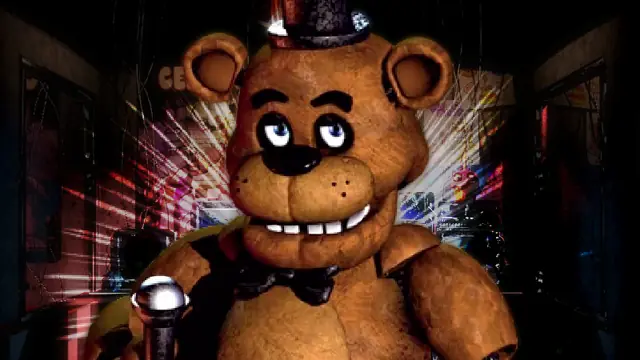
 CAM 01REC12:54 AM
Five Nights at Freddy's Remaster

Five Nights at Freddy's Remaster
Click to load the game
POWER ON... LOADING
Taking a while. Try Reload if nothing appears.
Tip: on a phone, rotate to landscape or tap Fullscreen for the best view.
Unofficial fan version Unofficial fan made browser version. Not affiliated with Scott Cawthon or Steel Wool Studios.
Five Nights at Freddy's Remaster is an unofficial fan-made browser edition on Playhop that refreshes the classic Freddy Fazbear's Pizza night shift with sharper graphics, updated menus, an interactive environment, and customizable nightmare levels.
| Playhop Title | Five Nights at Freddy's Remaster |
|---|---|
| Inspired By | Five Nights at Freddy's (Scott Cawthon, 2014) |
| Playhop Developer | SimusDev |
| Browser Version | Unofficial fan-made version on Playhop |
| Genre | Point-and-click survival horror |
| Key Additions | Sharper visuals, new menu, interactive environment, nightmare level selector |
| Setting | Freddy Fazbear's Pizza security office |
| Objective | Survive five nights from 12 AM to 6 AM on limited electricity |
| Controls | Mouse click (PC) or tap (Mobile) |
About
Five Nights at Freddy’s Remaster is a fan-made browser remake on Playhop that polishes the unforgettable 2014 security-office formula of Scott Cawthon’s original Five Nights at Freddy’s. Taking a summer job as the overnight guard at Freddy Fazbear’s Pizza, you are tasked with monitoring the restaurant’s animal mascots after hours because their unpredictable nighttime behavior makes hiring a night watchman cheaper than calling a repair technician.
This remastered edition focuses on presentation and polish. It introduces sharper graphics, enhanced visual effects, a reworked main menu, bug fixes, interactive office details, and a customizable nightmare level option while preserving the tense battery-rationing loop that made the original pizzeria famous.
How to Play
Your job is to survive each shift from midnight until 6:00 AM without running out of electricity or letting an animatronic slip into the office:
- Monitor the Cameras: Flip up the surveillance tablet to check whether Freddy Fazbear and his friends are still in their usual positions. Locating missing mascots early gives you time to react.
- Check Hallway Lights: Tap the left and right doorway lights to inspect the immediate blind spots outside your office without wasting power on prolonged camera browsing.
- Seal Security Doors: Close the left or right door when an animatronic appears right outside. Open the door again once the hallway clears so your battery lasts until morning.
- Watch the Power Budget: Every active light, camera feed, and closed door accelerates electricity drain. Running dry shuts down every defense at once.
Controls
Five Nights at Freddy’s Remaster uses responsive click and tap controls suitable for both desktop and mobile browsers.
| Action | PC Controls | Mobile / Touch |
|---|---|---|
| Pan view left / right in office | Move mouse toward left or right edge | Swipe or tap left / right side |
| Toggle left / right security door | Click Door button | Tap Door button |
| Toggle left / right hallway light | Click Light button | Tap Light button |
| Open / close security camera monitor | Hover or click bottom camera bar | Tap bottom camera bar |
| Switch between pizzeria cameras | Click camera buttons on map | Tap camera buttons on map |
| Interact with office elements | Left-click interactive props | Tap interactive props |
Tips to Survive
Check Lights Before Cameras
Your hallway lights provide instant confirmation of whether Bonnie (left) or Chica (right) is standing right outside your doorway. Flash both lights quickly before pulling up the monitor so you never open the tablet with an animatronic waiting at an unlocked door.
Keep Camera Sessions Short
Even with the upgraded graphics and crisp camera effects, staring at the security feeds drains your nightly power budget rapidly. Open the monitor for one or two seconds to confirm Freddy’s location and slow Foxy’s progress, then drop the tablet immediately.
Respect Freddy’s Right-Side Approach
On later nights and higher nightmare levels, Freddy Fazbear prefers dark corners on the right side of the building and does not show up under the right hallway light the same way Chica does. Track him on the cameras near the East Hall corner and shut the right door before opening your monitor whenever he is close.
Test Harder Runs Gradually
Use the remaster’s nightmare level options to step up difficulty at your own pace. Mastering power conservation on standard nights makes high-aggression custom shifts far more manageable.
Characters
- Freddy Fazbear: The brown bear star of Freddy Fazbear’s Pizza who becomes increasingly dangerous on later nights as he stalks the right hallway in the shadows.
- Bonnie: The purple rabbit guitarist who leaves the Show Stage early and pressures your left hallway door.
- Chica: The yellow chicken who roams the right side of the restaurant and peers through your right office window before striking.
- Foxy: The fast-moving pirate fox lurking out of sight who punishes players who neglect their camera checks.
Is This the Official Game?
No. Five Nights at Freddy’s Remaster is an unofficial fan-made version on Playhop and is not affiliated with or endorsed by Scott Cawthon or Steel Wool Studios. While it recreates and visually refreshes the premise of the 2014 original, it is an independent fan browser build.
To play the official Five Nights at Freddy’s with full creator support, achievements, and native performance, purchase it on Steam (PC), iOS, Android, PlayStation, Xbox, or Nintendo Switch.
Similar Games
If you like this visually refreshed take on the original pizzeria, try these next:
- Five Nights at Freddy’s: Play the classic browser version of FNAF 1 for a direct comparison.
- Five Nights at Freddy’s 3 Remaster: Another remastered Playhop edition bringing sharper visuals to Fazbear’s Fright and Springtrap.
- Five Nights at Candy’s Remastered: A remastered browser take on Emil Macko’s beloved FNAF fan game.
What is different in Five Nights at Freddy's Remaster compared to FNAF 1?
Five Nights at Freddy's Remaster updates the classic FNAF 1 experience with refreshed visuals, a redesigned menu interface, extra visual effects, bug fixes, interactive office touches, and the option to choose your own nightmare difficulty level while keeping the core 12 AM to 6 AM power-conservation gameplay.
How does electricity work in Five Nights at Freddy's Remaster?
You operate on a tight nightly electricity budget inside the security office. Keeping security cameras open, shining hallway lights, or leaving steel doors shut drains your battery faster. If power hits 0%, your doors and lights fail completely for the rest of the shift.
Which animatronics hunt you in Five Nights at Freddy's Remaster?
You watch over Freddy Fazbear and his stage companions Bonnie and Chica, along with the classic Pirate Cove threat Foxy. Whenever any mascot disappears from its usual spot on stage, you must track its path on the security monitors and seal the right door.
Can you customize difficulty in Five Nights at Freddy's Remaster?
Yes. One of the highlighted features of this remastered browser build is the ability to pick your own nightmare level alongside the updated menu design, letting both newcomers and experienced night guards tailor the intensity of their shift.
Does Five Nights at Freddy's Remaster contain flashing lights and jumpscares?
Yes. The game includes flashing lights, loud audio cues, and sudden jumpscares. Players sensitive to strobing effects or high-volume scares should lower their volume before starting a night.
Is Five Nights at Freddy's Remaster an official Scott Cawthon release?
No. This is an unofficial fan-made browser version on Playhop and is not affiliated with Scott Cawthon or Steel Wool Studios. The official Five Nights at Freddy's is sold on Steam, iOS, Android, PlayStation, Xbox, and Nintendo Switch.
Camera feeds
Related Games
- CAM 01REC12:54 AM
 CAM 02REC01:58 AM
 CAM 03REC04:21 AM